Contents
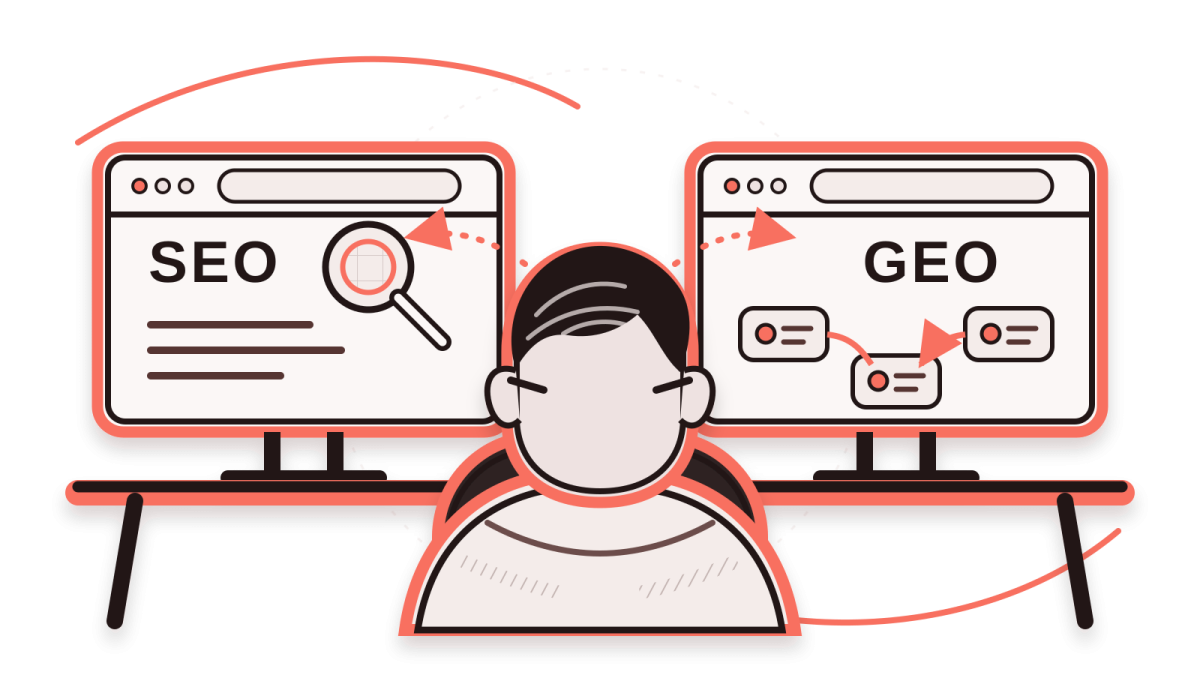
SEO is the work of helping search engines like Google find your site and understand it correctly. GEO aims to get your business described accurately in AI-written answers and to have your site cited as a source. The difference between SEO and GEO comes down to where the result appears and how it is measured. They are sometimes sold as separate packages, but most of the work overlaps.
If your site doesn’t show up properly on Google, fix the SEO foundation first. Below I explain what Google says about this, where to start fixing your site and how to track the results. Let me say this up front: no one can guarantee that “we’ve done SEO and GEO, so now we’ll definitely be first in search engines and AI search results.” SEO practices change over time, so you need to update your site when it’s needed.
What do SEO and GEO mean?
What is SEO?
SEO stands for search engine optimization. The goal is for the right person to reach your page and find what they are looking for there. Ranking at the top of Google is only part of that.
Google visiting and reading your page is called crawling. Adding it to its own list is called indexing. Making sure these work smoothly is the technical side of SEO. Text that answers the searcher’s question, clear headings, internal links and information people can trust are also part of the job.
Say you run an accounting firm. Someone searching “Should I set up a sole proprietorship or an LLC?” is looking for an explanation that helps them decide. A separate article answers that question better than your service page does.
What is GEO?
GEO stands for generative engine optimization, which means optimizing for AI tools that write their own answers.
More and more people are turning to AI tools to look things up. Over a third of users now start their searches with AI instead of Google, and in some areas (B2B research, for example) AI has already overtaken search engines. Google itself has been showing AI Overviews on many searches since 2024: summary answers at the top of the results that its AI compiles from web sources. Other companies’ chat and search apps show similar results under different names and formats. And each of them has its own rules.
GEO is the name for the work of getting your business described accurately in these answers and getting your site cited as a source. You may also see the name AEO (answer engine optimization). Some people use it for short, direct answers, while others use it to mean the same thing as GEO.
Some of the work that goes by the name GEO is genuinely useful:
- Stating clearly who your service is for.
- If you make a comparison, saying what you based it on (for example, which measure or budget).
- Not leaving important information only inside an image. Always add it as text too.
- Checking the sources of the information in your article.
These are really part of good SEO and careful writing. Calling this work “GEO” doesn’t change anything on its own. Some agencies sell GEO optimization but in practice only do the usual SEO and skip the GEO-specific work.
The difference between SEO and GEO
In SEO, your page appears as a link in the list of results. In an AI answer, your information is used inside a piece of text, together with other sources.
Say your furniture store’s site has a well-optimized article titled “How to choose a solid wood table.” Someone who searches for that on Google may see your page near the top. But the same search may also show an AI summary compiled from several sources. Even if you rank very well in Google search, you may not be among that summary’s sources.
| Topic | SEO | GEO |
|---|---|---|
| Where it appears | A list of links, images and other result types | AI answers (AI Overviews, AI Mode and other products) |
| Goal | Being found and giving visitors what they came for | Raising the chance of being described accurately and cited as a source in the answer |
| Content | A page that answers the question people search for, with a clear heading | Details with a clear source, the same business information everywhere |
| Technical foundation | Crawling, indexing and speed optimization for how fast the page loads | The same foundation on Google. Other products have their own rules. |
| Measurement | Impressions and clicks, visits to the site | How often your link is shown on Google. Tracking mentions is limited and varies by product. |
The line in the table may look sharp, but the two are connected. On Google, the AI summary appears on the same page as the regular results, and sometimes it doesn’t appear at all. Your page can show up both in the regular results and among the summary’s sources.
An AI naming your business in its answer doesn’t mean it gives your site a clickable link. Anyone who reports to you should show these two separately.
Google says SEO fundamentals still apply
According to the guide Google published for its AI features, the fundamentals of SEO still apply. These features rely on Google’s ranking and quality systems. They can link to indexed pages next to the answer. The guide puts original, useful content first, along with pages that Google can easily crawl and find.
If someone describes GEO for Google as a completely different system, that doesn’t match Google’s own documentation. According to the documentation, these are the prerequisites for appearing as a source link in AI Overviews or AI Mode:
- The page must be indexed.
- The page must be eligible to show in search results with a short description under its link. This description is called a snippet.
- In Search Console, the reporting and settings dashboard Google offers site owners, your site must not be excluded from AI features.
This setting is called “Search generative AI control,” and it is set to “included” by default. If neither you nor anyone else has changed it, you don’t need to do anything. Google’s help article shows where the setting is and how to change it.
Google doesn’t need AI-specific files or code, but there are a few subtleties
Some of the steps taken for GEO:
- Adding a text file called
llms.txtto your site, prepared for AI tools. - Publishing separate plain-text (Markdown) copies of your pages for AI.
- Adding a special “AI schema.” Schema, or structured data, is code that labels the information on a page for search engines.
Other AI products, however, may read sites by different rules. If someone offers you a separate GEO package, ask two things:
- Which of these tasks are written in Google’s own documentation, or in that AI product’s?
- Which report will you use to show the result, and what will you measure?
Where to start on your site
Don’t start by looking for an AI plugin. Look at your site’s foundation first. Try a simple test. Put yourself in the shoes of someone searching for you. What would you type into a search engine or an AI tool? Test it and analyze the results.
Does someone seeing your site for the first time understand what you do and how to reach you? If not, fix the page before you expect AI to describe you correctly. If visitors don’t understand your work or your service at first glance, there’s a problem.
1. Make sure Google can see your pages
Pick your most important pages: services, contact, about and the articles that describe your services. Paste each address into the URL Inspection tool in Search Console. The tool shows whether Google has indexed the page.
If you can’t get into Search Console, ask the person who built your site for access. If a page isn’t showing up, check these settings or have someone check them:
robots.txt: The file that tells search engines which parts of the site not to crawl.noindexand snippet settings: Settings that ask Google not to add the page to its list, or not to show the description under it.- Wrong redirects: Settings that send someone who opens an address to the wrong page.
- Canonical URL: A signal that names the main address when the same content opens at several addresses.
Each of these has a different job, so don’t change any of them without understanding why.
Visitors should be able to reach your service page from the menu or from an article. Give the key information as plain text on the page too, and don’t leave it only in a slider or a section that is hard to open. If a page titled “Dental implants” has only three slogans and a form, technical settings won’t make up for it.
2. Actually answer the question people search for
Back to the furniture store. Someone who searches “solid wood or veneer?” can’t decide just by seeing two definitions side by side. Explain which one suits which use. Give the answer in the first paragraph, then get into the conditions and exceptions.
Take your examples from your own business: the scope of the service, how the quote is set and who it isn’t right for. If you don’t have real information, don’t add made-up cases, statistics or customer reviews.
Before you open a new page, check whether updating an existing article is enough. Instead of splitting very similar questions into separate articles, bringing them together on one comprehensive guide page is often easier to read.
3. Keep your business information the same everywhere
Don’t let one page say “free site visit” while another says “paid site visit.” Your services, your about information, your contact details and any business listings you have on maps or social media should all say the same thing.
If a price or delivery time has changed, fix the exact figures left on old pages. Conflicting information misleads people too, and it can stand out even more in an AI answer.
4. Keep checking after you publish
Search products change, so check these from time to time after you publish:
- Does the text give the answer the title promises?
- Do old links go to the right place?
- Is the page easy to read on a phone?
- Can visitors easily get to your service page?
Measuring the results
You track classic search and Google’s AI features in Search Console. Measurement in other products is limited.
Classic search
The Performance report in Search Console shows how many times your pages appeared for which searches (impressions) and how many times they were clicked. It also shows what share of the people who saw them clicked (click-through rate) and your average position. Look at the trend over a few months before you make decisions.
Search Console doesn’t show how many people went on to your service page or filled out a form. For that, your site needs an analytics tool that counts what visitors do. Say the clicks on an article are rising, but the number of people who move on to the service page isn’t changing. Then check whether there is a clear link to the service page at the end of the article.
A single screenshot someone sends you isn’t lasting proof of your ranking. When you repeat the same search by hand, you may see different results depending on location, device, time and search history. Google’s explanation of the Performance report makes the same point.
Google’s AI features
Google’s Generative AI Performance report shows how many times links to your site were shown in AI Overviews and AI Mode, by page, country, device and date. According to the documentation, the report became available worldwide on August 31, 2026. It may not appear for sites that don’t have enough impressions or don’t have access to the report.
The report doesn’t show the full text of the answer, how often you are cited compared with your competitors, or clicks and sales. These impressions are also counted in the regular Performance report. If you add up the numbers from both reports, you’ll count the same impression twice.
Other AI products
Other AI products may not have a report like Google’s. Your analytics tool can show the visitors who came to your site by clicking a link in these products separately. But it doesn’t count answers in which the AI mentions your name without a link.
On set dates, ask a few questions your customers might ask, worded the same way each time, and note the answers and their sources. This helps you spot answers that describe you wrongly and information that is missing from your site. A few answers you get from your own account, however, don’t add up to a reliable “GEO ranking.”
Frequently asked questions
Will GEO replace SEO?
No. Google’s AI features build on its existing search infrastructure and core SEO systems. That’s why indexability, quality content and a clear page structure are still as important as ever.
Does GEO work guarantee a place in AI answers?
No. The same question can get different answers at different times or in different products. Being indexed on Google and eligible to show with a snippet are only prerequisites. Be careful with anyone who offers a guarantee.
Good work removes obstacles and improves the content. It also tells you clearly how the results are measured.
Do I need to add question headings, tables and llms.txt to every article?
No. Use question headings and tables when they help the reader. Sometimes a plain paragraph is clearer. Google also says its AI features don’t require llms.txt or any special markup.
What should I budget for first?
It depends on your site:
- If your site is new or your important pages don’t appear on Google, start with the first step above. Then fix the page structure and your service descriptions.
- If you get visitors from search but not the people you’re looking for (for example, job seekers instead of customers), rethink which questions your pages answer.
- If the foundation is in place, start tracking how you show up in AI answers too. Keep in mind what the reports I described above don’t count.
If you’d like to talk through what to look at on your site and in what order, take a look at my SEO and GEO consulting page.
Comments
No comments yet. Be the first to comment.